
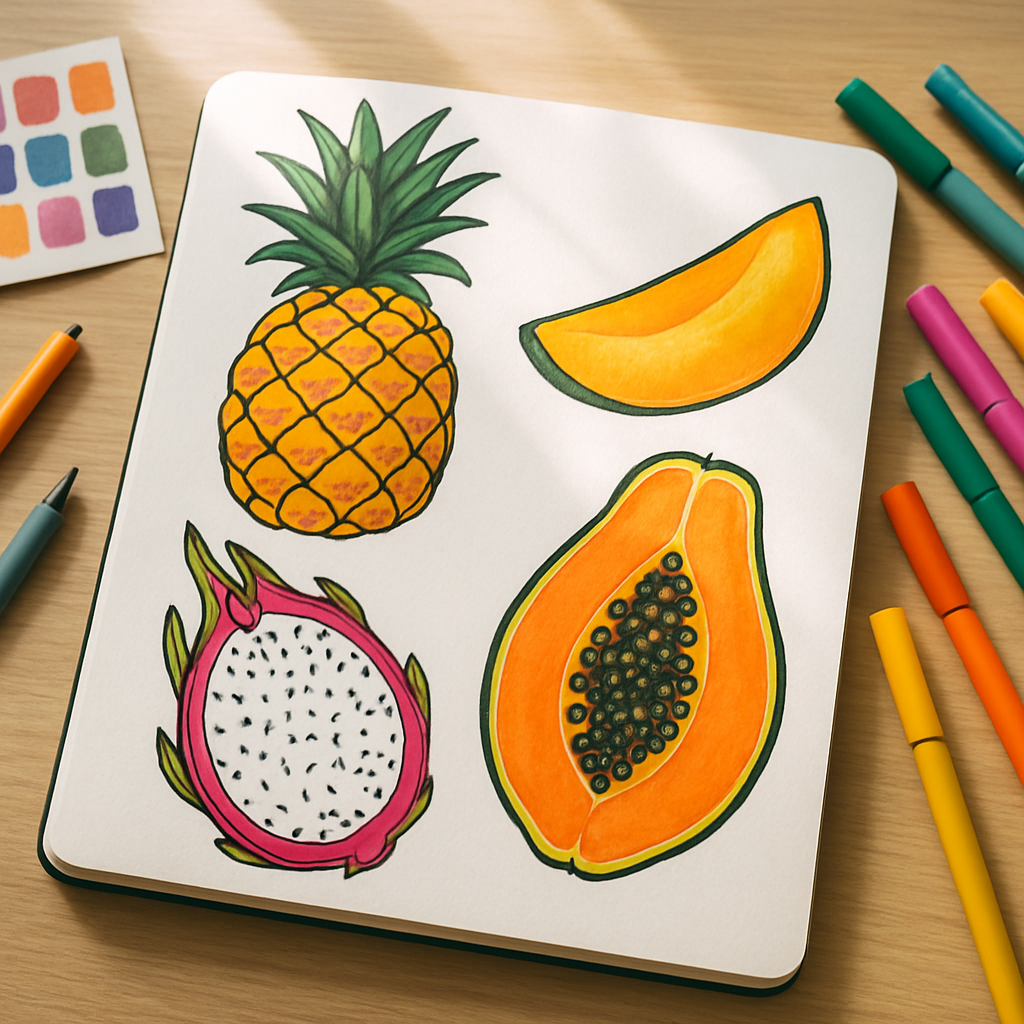
There is something wonderfully joyful about tropical fruit as a design subject. The electric yellow of a pineapple, the hot magenta of a dragon fruit cross-section, the lush greens of a split papaya, these colours practically sing. If you have ever wanted to channel that energy into something tangible, a repeat surface pattern is the perfect place to start. This tropical fruit pattern design tutorial will walk you through the whole process, from first sketch to finished tile, whether you are working by hand or digitally.
Why Tropical Fruit Makes Such a Good Pattern Motif
Honestly? It is all about the shapes. Tropical fruits are naturally graphic. A halved kiwi is basically a ready-made mandala. A bunch of bananas creates this gorgeous curved repeat all by itself. Pineapples have that incredible diamond-grid texture on the skin that practically begs to be drawn. These motifs have strong silhouettes, bold internal details, and a colour range that covers the entire warm spectrum without you having to force anything.
They also sell. Print-on-demand platforms like Redbubble, Spoonflower, and Society6 consistently list tropical and botanical patterns among their top-performing categories. According to BBC Business reporting on the creative economy, demand for surface pattern design on homewares and stationery has grown significantly post-pandemic, with independent designers benefitting enormously. Tropical motifs sit right at the heart of that trend.
What You Will Need Before You Start
You do not need an expensive setup. Here is a simple kit list that works whether you are planning a hand-drawn approach or going digital from the start.
- Sketchbook and pencil for loose initial drawings
- Fine-liner pens (a 0.3 and a 0.5 nib will cover most detail work)
- Scanner or a decent mobile with a scanning app
- Adobe Illustrator, Affinity Designer, or Procreate for repeat tile building
- A reference collection of tropical fruit imagery (your own photos work brilliantly)
If you are purely digital from the outset, Procreate on an iPad is fantastic for building loose, painterly motifs before you move them into a vector app for the repeat tile work. Many surface pattern designers work in exactly this hybrid way.
Step One: Sketch Your Motif Library
Before thinking about repeats at all, just draw fruit. Draw a lot of it. Whole fruits, sliced fruits, leaves, blossoms, seeds, rinds. A good pattern needs variety in scale and form, so aim for at least eight to ten distinct motifs. Think about including a mix of: one large hero element (a whole pineapple or a big papaya slice), two or three medium motifs (mango halves, passion fruit), and several small filler elements (tiny leaves, dots that suggest seeds, simple geometric shapes pulled from the fruit’s texture).
Keep your style consistent throughout. If you are going bold and graphic with thick outlines, apply that to every piece. If you prefer a looser, more painterly feel, stay loose across the whole library. Mixing styles mid-pattern tends to look accidental rather than artful.
Step Two: Build a Colour Palette First
This is a step many beginners skip, and it almost always leads to a muddy result. Before you start colouring individual motifs, decide on your full palette as a unit. Tropical fruit gives you an extraordinary range to play with, but restraint makes patterns feel designed rather than chaotic.
A reliable approach: pick one dominant warm colour (mango orange, say), one vibrant accent (hot pink, lime green), one neutral anchor (a warm cream or soft terracotta), and then a single dark tone for outlines or contrast. Four to five colours is usually enough. You can always create additional colourways later by swapping the dominant hue, which is a brilliant way to offer variety on print-on-demand shops without doubling your design work.
I tend to build my palettes in Coolors or directly in Procreate’s colour panel, testing swatches next to each other before committing. Seeing them side by side saves a lot of backtracking.
Step Three: Arrange Your Motifs into a Repeat Tile
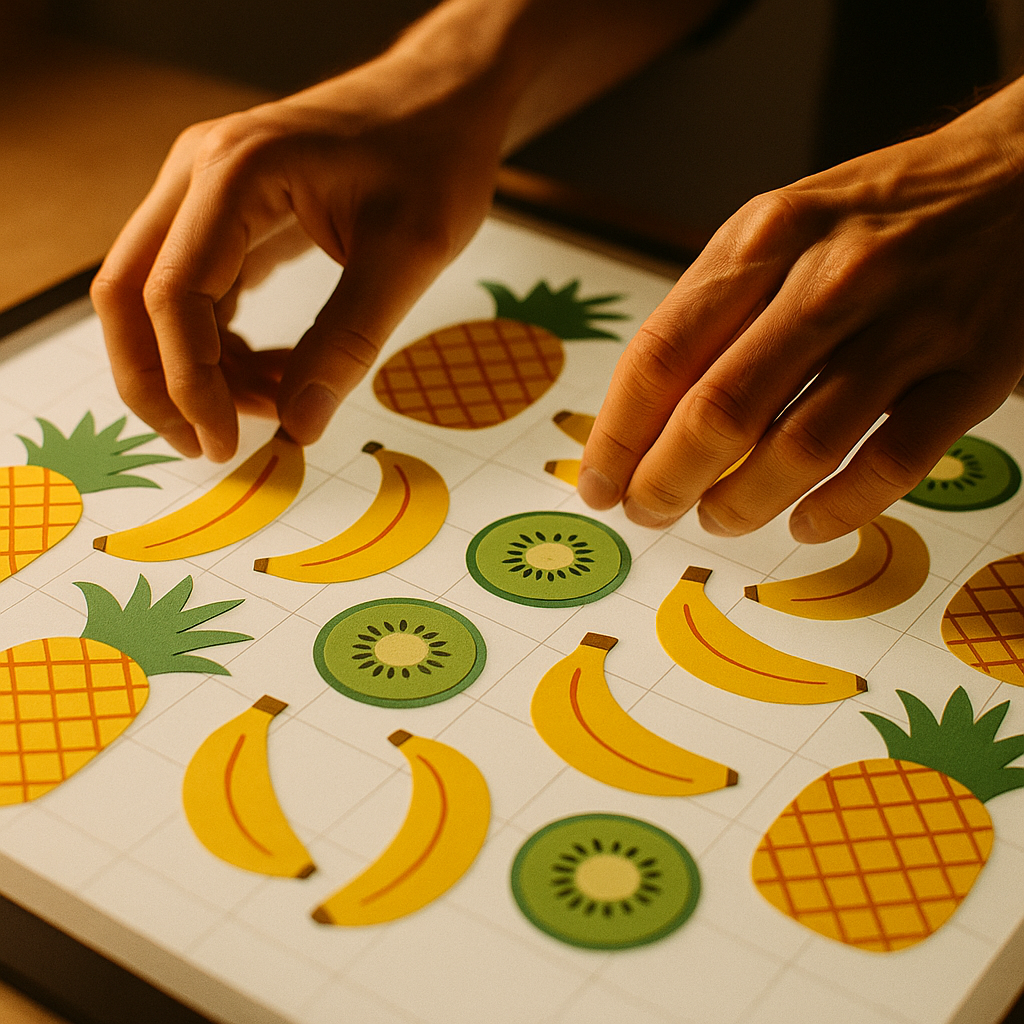
This is where this tropical fruit pattern design tutorial gets genuinely exciting. There are several repeat types to choose from, but for tropical motifs, two work particularly well: the half-drop repeat and the scatter (or tossed) repeat.
A half-drop repeat staggers your motifs so that each column drops by half a tile length. It gives a flowing, organic feel that suits botanical subjects beautifully. A scatter repeat distributes motifs at varying angles and scales across the tile, mimicking the lush chaos of an actual tropical canopy. Both are achievable in Illustrator or Affinity Designer using the pattern tile tool.
The core rule: whatever leaves the edge of your tile on one side must re-enter on the opposite side at precisely the same point. This is what makes the repeat seamless. In Illustrator, the Pattern Options dialogue handles this automatically. In Procreate, you will need to use the Canvas menu to enable the Symmetry or Pattern Repeat assist feature, or work manually by duplicating and offsetting your tile.
Start with a tile size of around 30 x 30cm at 300dpi if you are targeting fabric or wallpaper. For stationery and smaller goods, a 20 x 20cm tile at 300dpi is plenty.
Step Four: Test It Across Scale
One thing that separates professional surface pattern designers from beginners is testing at multiple scales before declaring a design finished. A repeat that looks perfect at full size can become overwhelming when reduced to the scale of a notebook cover, or feel sparse and disconnected when blown up to a tote bag or cushion cover.
Export your tile and mock it up digitally on a range of product sizes. Free mockup templates are widely available, and Spoonflower has a built-in preview tool that shows your repeat tiled across actual fabric swatches. Adjust the density of your motifs and the size of your hero elements based on what you see.
Getting Your Tropical Pattern onto Products
Once you have a polished, seamless tile, the fun really starts. For print-on-demand products (mugs, tote bags, cushion covers, wrapping paper), upload your pattern as a high-resolution PNG to platforms like Redbubble or Society6. For fabric, Spoonflower is the go-to choice for UK designers, printing onto a wide range of fabrics and shipping domestically.
If you want to pitch your designs to licensing clients, keep your files in a scalable vector format (AI or SVG) alongside the high-res raster version. Larger homeware and stationery brands licensing surface patterns will almost always ask for vectors.
This tropical fruit pattern design tutorial is really just the beginning. Once you have completed one pattern, the second one comes together in half the time. You already have a motif library, a palette system, and a workflow. All that changes is the arrangement and the mood.
A Few Final Tips to Keep Things Juicy
Leave breathing room in your tile. Crowded patterns can feel suffocating; white or negative space is not wasted space, it is contrast. Rotate your motifs at unexpected angles to avoid the pattern looking rigid. And never underestimate the power of a good outline, a confident dark stroke around your fruit motifs will make them pop against any background colour and give the whole pattern a graphic, modern energy that works equally well on a tea towel or a silk scarf.
Most importantly, make it yours. Tropical fruit is a shared subject, but your colour choices, your line quality, your sense of arrangement, that combination is completely unique. Lean into it.
Frequently Asked Questions
What software is best for creating a tropical fruit pattern design?
Procreate is popular for drawing individual motifs with a painterly feel, while Adobe Illustrator or Affinity Designer are ideal for building seamless repeat tiles. Many designers use both in combination, drawing in Procreate then importing into Illustrator to construct the repeat.
How do I make sure my repeat pattern is truly seamless?
The key is ensuring that any element crossing the edge of your tile reappears at the exact corresponding point on the opposite edge. In Illustrator, the Pattern Options tool handles this automatically. In Procreate, you can use the Canvas Symmetry assist or manually offset and duplicate your tile.
What resolution should I export my pattern at for print-on-demand products?
For most print-on-demand products, 300dpi is the minimum you should work at. For fabric through platforms like Spoonflower, aim for a tile size of at least 30 x 30cm at 300dpi to ensure crisp, clear printing at scale.
Can I sell tropical fruit patterns if I am not a professional designer?
Absolutely. Platforms like Redbubble, Society6, and Spoonflower are built for independent creators at all skill levels. You upload your design, set your margins, and the platform handles printing, fulfilment, and customer service.
How many motifs do I need to create a good surface pattern?
A minimum of eight to ten distinct motifs gives you enough variety to build a pattern that feels rich without looking repetitive. Include a mix of large hero shapes, medium accent pieces, and small filler elements like leaves or seeds for the best results.